When sharing personal snapshots, family videos, or confidential visual content online, safety always comes first. Millions of users keep asking two critical questions: Is WhatsApp safe for daily communication, and more specifically, is WhatsApp safe for sending private photos? As a feature-rich modified client, WhatsApp Gold has grown extremely popular for its advanced customization and privacy tools. But many people remain unsure if it can fully protect private photos and videos.
In this in-depth guide, we will analyze the security performance of whatsapp gold from encryption, local storage, media transmission, and potential risks. We will also compare it with the official WhatsApp, share objective facts, useful features, and safe usage tips to help you make the right choice for your private media.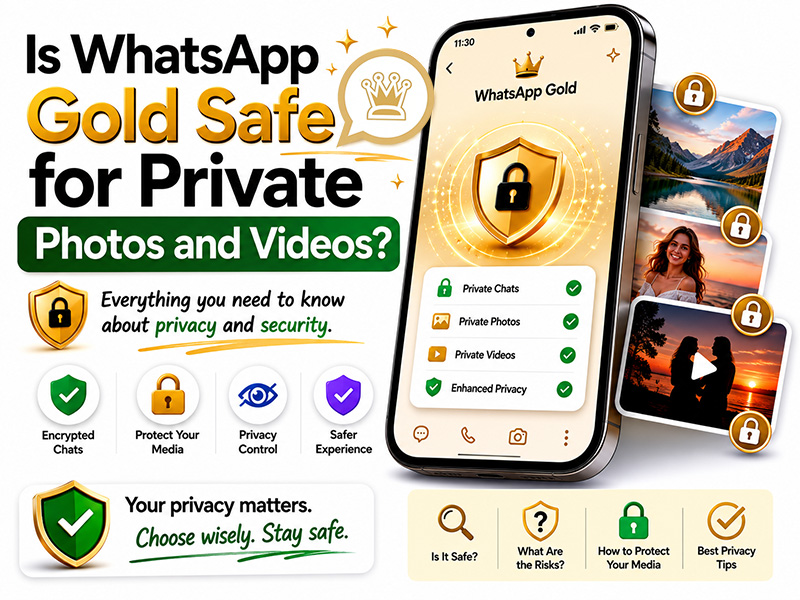
What Does End-to-End Encryption Protect on WhatsApp?
Official WhatsApp uses the Signal Protocol to protect personal messages and calls with end-to-end encryption. This protection also covers personal photos and videos sent through supported encrypted chats. It protects content during transmission, but it does not prevent a recipient from saving, photographing, or sharing content after receiving it.
Does WhatsApp View Once Prevent Screenshots and Photo Saving?
WhatsApp View Once prevents recipients from taking screenshots or screen recordings through supported in-app controls, and the media is not saved to the recipient’s Photos or Gallery. However, a recipient can still use another device to photograph or record the screen. An unopened View Once item expires after 14 days.
Are WhatsApp Photo and Video Backups End-to-End Encrypted?
WhatsApp provides an optional end-to-end encrypted backup feature. Depending on the available account and device options, users can protect backups with a passkey, password, or 64-digit encryption key. The encryption credential is required to access the backup. Users should review their backup settings separately from chat encryption settings.
That’s why some users want to move from official WhatsApp to Gold safely. We add advanced anti-ban patches, remove malicious code, and test each version repeatedly to ensure stability and safety for all users.
Key Privacy Features of WhatsApp Gold for Private Photos & Videos
The biggest reason users trust WhatsApp Gold with private media is its comprehensive privacy features tailored for photos and videos. Here are the most practical functions:
- Hide Media from Gallery: Turn off auto-save for images and videos. All received private media only exists inside the app and will not appear in your phone’s public gallery.
- Individual Chat Lock: Set a password or biometric lock for sensitive chats. Others cannot open these conversations or view your private photos.
- Enhanced View Once Mode: Upgrade the official “View Once.” It blocks screenshots, screen recordings, and re-saving, adding an extra layer of protection for one-time shared private content.
- Anti-Forward & Anti-Share: Prevent recipients from forwarding your private photos and videos to other contacts or groups.
- Local Media Encryption: Encrypt all offline stored photos and videos within the app. Even if your phone is hacked, the media files cannot be decoded.
- Custom Media Limits: Set rules for receiving large video files to avoid unknown risky media automatically downloading.
These tools make WhatsApp Gold a much better choice for users who frequently share private visual content.
Official WhatsApp VS WhatsApp Gold: Private Media Safety Comparison
| Safety & Feature | Official WhatsApp | WhatsApp Gold |
| End-to-End Encryption | Supported | Fully inherited |
| Auto Media Save Control | Limited settings | Full control to hide media |
| Single Chat Lock | Not available | Password/Fingerprint lock |
| Anti-Forward for Media | No function | Built-in switch |
| Send Photos/Videos in Original Quality | Strict compression | No compression |
| Anti-Ban Protection | N/A (official client) | Optimized anti-ban system |
| Local Media Encryption | Not supported | Advanced local encryption |
How to Avoid Risks When Using WhatsApp Gold
If you plan to use WhatsApp Gold for private photos and videos, follow these rules to eliminate hidden dangers:
- Download only from trusted sources
Never click pop-up ads or unknown links to get the APK. Always download the latest WhatsApp Gold from our verified platform. All versions here are scanned for malware and equipped with updated anti-ban features.
- Use a secondary phone number
We suggest using a spare number instead of your primary daily number for WhatsApp Gold. This can avoid affecting your main account in case of unexpected restrictions.
- Disable automatic cloud backups
Cloud backups may sync your private photos and videos to online storage. Turn off auto-backup, or enable encrypted backup if you need to save chat history.
- Turn on all related privacy features
After installation, enable “Hide Media from Gallery”, “Chat Lock” and “Anti-Forward” at once to maximize protection for your private media.
- Do not share extremely sensitive content
Even with strong protection, avoid sending highly confidential photos or videos on any third-party MOD app for absolute safety.
FAQ:
1. Is WhatsApp Gold safe for sending private photos and videos in 2026?
When sharing media content through a modified application, the privacy of photos and videos depends on the underlying communication protocol and the various settings available within the application interface. Users typically configure in-app media permissions to manage who can receive or view the files sent.
2. Does WhatsApp Gold provide the same end-to-end encryption as official WhatsApp?
Standard messaging protocols rely on end-to-end encryption to ensure the security of media transmission between the sender and receiver devices. The modified client is designed to route communication using these same network protocols, thereby ensuring that messages remain in a format that meets standard transmission requirements.
3. Can someone screenshot or save WhatsApp View Once photos?
Although the “view once” feature is designed to disappear once opened, there are technical limitations across mobile platforms. The recipient can capture the screen using an auxiliary camera, screen recorder, or a shortcut in the native operating system before the document expires.
4. How can I send private photos on WhatsApp without losing image quality?
To share high-resolution photos without automatic compression:
Tap the attachment icon (paperclip or +) in your chat bar.
Select Document instead of Gallery or Photos.
Choose your image file to send it in its uncompressed, original format.
Alternatively, select the HD toggle at the top of the media preview screen before pressing send to transmit higher-definition media.
5. Are WhatsApp photos protected when backed up to Google Drive or iCloud?
Photos included in the chat backup will be stored directly to cloud service platforms such as Google Drive or Apple iCloud. Whether it’s the official version or a modified version of the application, users can enable the “End-to-End Encrypted Backup” function in the chat settings menu; once enabled, a custom password or a 64-bit key is required to unlock the backup content.
6. Can using WhatsApp Gold lead to a WhatsApp account ban?
Instant messaging platforms use automated detection systems to monitor connected clients. If the system’s execution mechanism detects that an account is using a third-party version or a modified version, the account may face temporary or permanent service suspension.
7. Does hiding WhatsApp photos from the phone gallery encrypt the files?
Hiding photos through “Media Visibility” settings or album lock only prevents those files from appearing in your main photo stream; it does not encrypt the underlying storage. To encrypt hidden photos on your device, place them in a system-level encrypted storage space, such as a “Locked Folder” or a “Secure Folder”.
Final Verdict
Let’s recap the key questions once again to draw a clear conclusion.
First, is the whatsapp safe? The official WhatsApp has solid end-to-end encryption for basic security, but its weak local privacy controls make it risky for private photos and videos.
Second, is WhatsApp safe for sending private photos? The official app can protect media during transmission, but it cannot stop local leakage or unauthorized forwarding.
Third, about WhatsApp Gold: When downloaded from a reliable platform, it is safe enough for private photos and videos. It retains the original high-level encryption while adding dozens of exclusive privacy tools to prevent local exposure, forwarding, and screenshotting. The minor risks, like account bans, can be greatly reduced with optimized anti-ban versions and correct usage habits.
If you care about both media quality and privacy protection, WhatsApp Gold is an excellent upgrade over the official WhatsApp. Feel free to download the latest secure version from our website today, and share your photos and videos with total peace of mind.