
We’ve all been there: you accidentally tap “Delete Chat” on a crucial conversation, or a glitch makes whatsapp deleted chats vanish without warning. But here’s the good news: in most cases, you can restore deleted whatsapp chats, even if you’re using a modded version like WhatsApp Gold. In this guide, we’ll break down why chats get deleted, how to recover them , and how whatsapp gold latest version and whatsapp gold apk can make the process easier while keeping your data safe.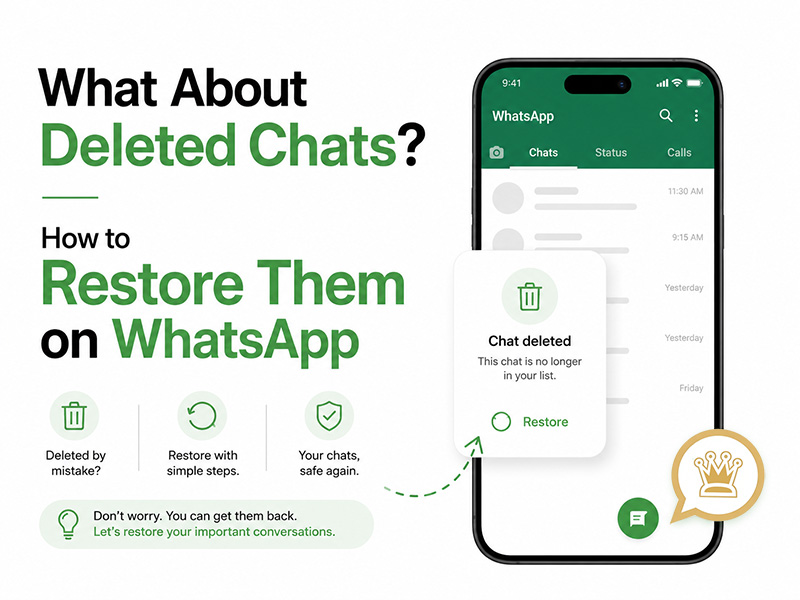
Why Do WhatsApp Chats Get Deleted?
Before we dive into recovery, let’s understand the common reasons behind whatsapp deleted chats, this helps avoid future losses and choose the right recovery method:
- Accidental Deletion:The most common cause: tapping “Delete for Me” or “Delete for Everyone” by mistake, especially when clearing clutter or rushing through messages.
- Uninstalling Without Backing Up:If you uninstall WhatsApp without creating a backup, your local chat data is erased from your device.
- Device Reset or Factory Restore:Resetting your Android device wipes all app data, including WhatsApp chats, unless you have a cloud or local backup.
- App Glitches or Updates:Rarely, a faulty update can corrupt chat data, leading to deleted or missing conversations.
- Backup Overwrites:WhatsApp automatically backs up chats at regular intervals. If you delete a chat and a new backup runs, the deleted messages are overwritten and harder to recover.
Can You Restore Deleted WhatsApp Chats? The Short Answer
Yes, restore deleted whatsapp chats is possible, but it depends on one key factor: whether you have a backup created before the chat was deleted. WhatsApp does not store your chats on its servers, so backups are your only lifeline. This rule applies to both the official WhatsApp app and modded versions like WhatsApp Gold. The good news? whatsapp gold latest version includes enhanced backup and recovery features that make this process simpler than the official app.
How to Restore Deleted WhatsApp Chats
Below are the most reliable methods to restore deleted whatsapp chats, including options for users of the official app and those using whatsapp gold apk. We’ll start with the easiest methods, then cover alternatives for those without backups.
Method 1: Restore from Google Drive Backup
Most Android users rely on Google Drive for WhatsApp backups—and this works seamlessly with WhatsApp Gold too. Here’s how:
- Verify Your Backup:First, check if you have a backup from before the chat was deleted. Open the official WhatsApp, go to Settings > Chats > Chat Backup. Check the “Last backup” timestamp, if it’s before the deletion, you’re good to go.
- Uninstall the App:If you’re using the official app, uninstall it. If you’re using WhatsApp Gold, uninstall the current whatsapp gold apk.
- Reinstall the app:For the official app, download it from Google Play. For WhatsApp Gold, download the whatsapp gold latest version APK from a trusted source.
- Verify Your Number:Open the reinstalled app and enter the same phone number used for your backup. Complete the OTP verification.
- Restore the Backup:The app will automatically detect your Google Drive backup. Tap “Restore” and wait for the process to finish. Once done, your deleted chats will reappear.
Method 2: Restore from Local Backup
WhatsApp automatically creates local backups every night, stored in your device’s internal storage. These backups are saved for 7 days, making them perfect for recently deleted chats. Here’s how to use them:
- Locate the Local Backup:Open your device’s File Manager and navigate toInternal Storage > WhatsApp > Databases.
- Select the Right Backup:Choose a backup file with a date before your chat was deleted.
- Uninstall and Reinstall:Uninstall WhatsApp or WhatsApp Gold, then reinstall the app.
- Restore the Backup:Verify your number, and the app will scan the local backup and prompt you to restore. Tap “Restore” to get back your deleted chats.
Method 3: Restore Deleted Chats with WhatsApp Gold Latest Version
The whatsapp gold latest version includes a built-in recovery tool that simplifies the process—no need to manually rename backup files or jump through hoops. Here’s how it works:
- Download WhatsApp Gold Latest Version:Ensure you have the whatsapp gold latest version APK installed.
- Open WhatsApp Gold:Verify your phone number if prompted.
- Access the Recovery Tool:Go to Settings > Chats > “Restore Deleted Chats”.
- Select Backup Source:Choose between Google Drive, local storage, or even a manual backup file you saved. The app will scan for backups and let you select the one from before the deletion.
- Restore and Enjoy: Tap “Restore” and wait for the process to complete. Your deleted chats will be restored in minutes.
What If You Don‘t Have a Backup?
If you don’t have a backup, restore deleted whatsapp chats is harder; but not impossible. You can use third-party data recovery tools to scan your device’s internal storage for deleted chat data before it’s overwritten. However, these tools may require a paid subscription, and success depends on how long ago the chat was deleted.
WhatsApp Gold APK: Safe Download for Chat Recovery
To use the whatsapp gold latest version’s recovery features, you need to download the correct whatsapp gold apk from a trusted source. Here’s how to do it safely:
- Avoid Suspicious Links:Skip links shared via unsolicited messages or social media.
- Use Reputable Sources:Visit the download page provided on this website.
- Check for the Latest Version:Ensure you’re downloading the whatsapp gold latest version to access the latest recovery tools and anti-ban features.
- Enable Unknown Sources:On your Android device, go to Settings > Security > Enable “Unknown Sources” to install the APK.
- Backup First:Before installing the whatsapp gold apk, back up your current chats to avoid losing data during installation.
Important Warnings for WhatsApp Gold Users
While whatsapp gold latest version makes restore deleted whatsapp chats easier, it’s crucial to remember the risks of using modded apps:
- Account Ban Risk:Meta prohibits modded apps like WhatsApp Gold, your account may be temporarily or permanently banned if detected.
- Security Risks:Be careful not to download from unreliable sources. Before installation, please make sure to scan the APK using an antivirus tool.
- Backup Reliability:While WhatsApp Gold supports Google Drive and local backups, it’s not officially endorsed by Meta, always keep a secondary backup to be safe.
Final Thoughts
Whatsapp deleted chats don’t have to be permanent. With the right backups and tools, you can easily restore deleted whatsapp chats. For WhatsApp Gold users, the whatsapp gold latest version simplifies this process with built-in recovery features, but only if you download the correct whatsapp gold apk from a trusted source. Remember: prevention is better than cure, back up your chats regularly to avoid the stress of lost conversations. Whether you’re using the official app or WhatsApp Gold, a little preparation goes a long way in keeping your messages safe!


