For anyone who uses WhatsApp for private conversations, View Once has long been a staple of WhatsApp secret chatting: senders can share photos and videos that automatically delete after a single viewing, leaving no permanent trace on the recipient’s device. While this design protects sender privacy, it creates frustration for recipients who need to revisit important information, reference a shared photo, or save a meaningful memory. Built into the app’s expanded privacy settings WhatsApp, WhatsApp Gold’s Anti View Once feature solves this problem by disabling the auto-delete rule for incoming View Once media, so you can view content on your own terms.
In this guide, we break down how Anti View Once works, how to enable it, and how to pair it with tools like hidden chat WhatsApp and last seen settings in WhatsApp to build a complete, fully controlled private messaging experience. If you also want to browse chats and view saved View Once media without appearing active to contacts, check our dedicated post Using WhatsApp Gold‘s Offline Mode Features to master invisible offline browsing alongside this media privacy tool.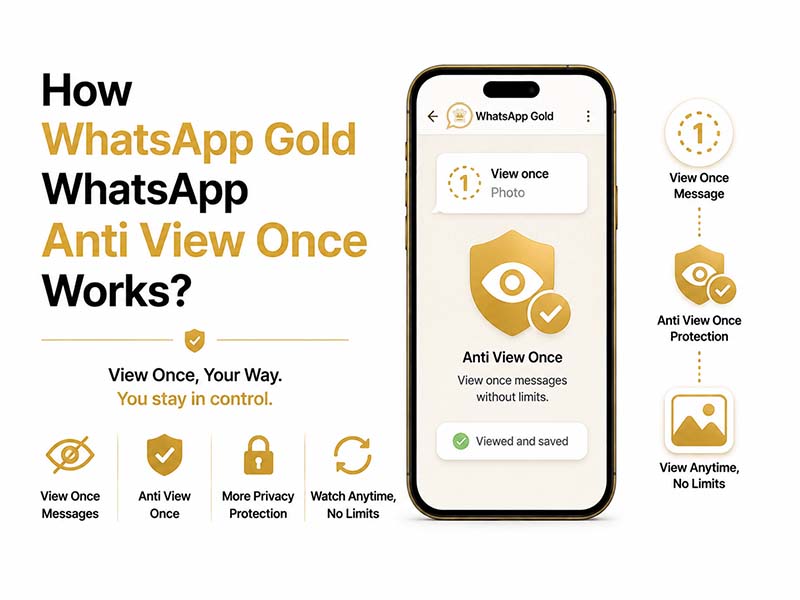
What Is Anti View Once in WhatsApp Gold
To understand the feature, it helps to start with the official WhatsApp rule: when someone sends you a View Once photo or video, the file is permanently deleted from your chat the moment you close it. You cannot replay it, save it to your gallery, or refer back to it later. Even if the content contains important details you need to keep.
WhatsApp Gold’s Anti View Once is a recipient-side privacy enhancement that overrides this auto-deletion behavior for incoming messages. When enabled, any View Once media you receive will remain accessible in the chat thread indefinitely, instead of disappearing after one open. You can rewatch videos, re-examine photos, and reference the content whenever you return to the conversation.
Important clarification: This feature only affects media you receive. It does not change how View Once messages work when you send them to other people. Your outgoing one-time media will still delete normally for recipients, following official WhatsApp rules.
How Does WhatsApp Gold Anti View Once Work
To understand how, we need three core facts about how WhatsApp handles View Once media locally:
- All View Once media downloads fully to your phone first
Before you preview any one-time photo or video, the app downloads and decrypts the entire file into your device’s local storage. The raw media file already exists on your hardware before any deletion rules run.
- Official WhatsApp relies on a simple local flag to trigger auto-delete
Every View Once message carries an internal digital flag marked True. This flag tells the official app three rules: hide save buttons, block screenshots, and wipe the cached media once you close the preview. This rule set runs entirely on your phone, not WhatsApp’s servers.
- WhatsApp Gold rewrites the flag locally to disable restrictions
As a modified client, WhatsApp Gold intercepts incoming View Once messages and flips the flag from True to False on your device. With the flag disabled, all auto-delete and media lock rules stop working. The decrypted media stays cached permanently, and you gain full rights to re-open, screenshot, save or forward the file.
No server changes happen during this process. The sender’s device gets zero alerts or status updates to reveal you have bypassed the single-view limitation.
Step-by-Step: Enable Anti View Once in Privacy Settings WhatsApp
Turning on the feature takes just a few taps, located inside the expanded privacy settings WhatsApp panel exclusive to WhatsApp Gold.
- Open WhatsApp Gold on your device and tap the three-dot menu in the top-right corner.
- Select Settings, then open the Privacy & Security section.
- Scroll down to the Media Privacy subsection, where you will find the Anti View Once toggle.
- Switch the toggle to the On position to activate the feature for all incoming View Once media.
- (Optional) Check the box labeled Auto-save View Once media to gallery if you want files saved directly to your device storage.
- Exit settings. The change takes effect immediately. All future View Once messages you receive will no longer auto-delete.
Pair Anti View Once With Other Privacy Tools for Full Protection
Anti View Once works best as part of a full privacy setup. Combine it with these three core features to build a complete WhatsApp secret chatting workflow:
1. Hidden Chat WhatsApp for Sensitive Conversations
If you receive View Once media in private or sensitive conversations, pair Anti View Once with hidden chat WhatsApp functionality for two layers of protection. Hide the entire chat thread behind a fingerprint, PIN, or pattern lock, so even if someone gains physical access to your phone, they cannot open the conversation or view the saved one-time media.
How to use it: Long-press any chat, select Hide Chat from the menu, and set your access authentication. Hidden chats do not appear in your main chat list and can only be accessed through a secure hidden folder.
2. Last Seen Settings in WhatsApp for Activity Invisibility
Adjusting last seen settings in WhatsApp is the most foundational privacy step most users take first. When you hide your last seen timestamp and online status, contacts cannot track when you are active on the app. Pairing this with Anti View Once lets you view and revisit media completely on your own schedule. There’s no need to reply right away, and it won’t leave any trace of activity.
For maximum privacy: Set both Last Seen and Online status to Nobody inside the Privacy & Security menu.
3. Additional Privacy Layers
Round out your setup with a few more quick toggles:
- Disable read receipts so contacts do not know when you have opened their messages
- Hide typing indicators to avoid showing when you are drafting a reply
- Enable anti-delete messages to preserve text messages that senders try to delete after sending
FAQs About Anti View Once
- Will the sender know I saved or rewatched their View Once media?
No. There is no official notification, read receipt change, or status update that alerts the sender to repeated viewing or local saving. From their end, the message behaves like a standard View Once delivery.
- Does Anti View Once work for all types of one-time messages?
The feature works for all View Once photos and videos. It does not currently apply to one-time voice messages or disappearing text messages.
- Can I turn Anti View Once off for specific chats?
At this time, the feature applies globally to all incoming View Once media. You can toggle it on and off anytime from the privacy settings menu if you only want to use it temporarily.
- Will using this feature get my account banned?
Anti View Once is a built-in feature of WhatsApp Gold. As with all modified app versions, it is recommended to use a secondary number for sensitive accounts if you have concerns about platform terms of service.
Final Thoughts
View Once is a great tool for casual WhatsApp secret chatting, but it often creates unnecessary inconvenience for recipients who need to keep or reference shared content. WhatsApp Gold’s Anti View Once feature strikes a better balance, letting you control how you interact with incoming media on your own device.
When combined with hidden chat WhatsApp locking, customizable last seen settings in WhatsApp, and the full suite of advanced privacy settings WhatsApp Gold offers, you get a level of control over your messaging experience that the official app simply cannot match. You never have to choose between keeping important content and protecting your privacy ever again.