For many WhatsApp Gold users, basic privacy controls like WhatsApp Gold hide online status are already a big upgrade from the official app. But if you want full, end-to-end invisibility across every part of the messaging experience, WhatsApp Gold Ghost Mode is the most powerful privacy tool available. It goes far beyond standard WhatsApp Gold invisible mode, letting you read messages, view statuses, and browse chats completely under the radar.
This guide focuses exclusively on the mobile Ghost Mode feature built into WhatsApp Gold for Android. It is separate from our previous guide on hiding online status via Gold WhatsApp Web; while basic privacy settings sync across devices, Ghost Mode’s full advanced features are designed first for the mobile app. Below, we’ll break down what Ghost Mode does, how it differs from other privacy modes, and exactly how to enable it step by step.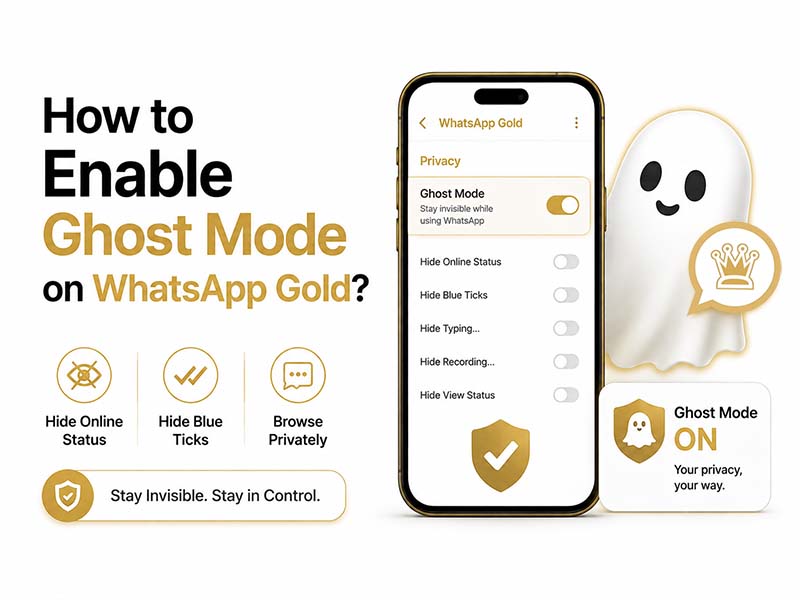
What Is WhatsApp Gold Ghost Mode
WhatsApp Gold Ghost Mode is an all-in-one advanced privacy suite that hides nearly all traces of your activity on WhatsApp. It is not just a single toggle. It is a collection of stealth features bundled into one master setting for maximum invisibility.
If you’d like to learn more about Gold WhatsApp’s Ghost Mode, you can check out our previous blog post: What Is Ghost Mode with WhatsApp Gold.
To avoid confusion, it helps to clarify how it compares to the two more basic privacy options most users know:
- WhatsApp Gold hide online status: A single, standalone setting that only conceals your active “online” Your last seen time, read receipts, and typing indicators still remain visible.
- WhatsApp Gold invisible mode: A basic privacy package that hides both your online status and last seen time, and usually includes a global toggle to disable read receipts.
- WhatsApp Gold Ghost Mode: The highest level of privacy. It includes everything from the two modes above, plus additional stealth features that let you interact with chats and statuses completely anonymously, without the other person knowing you’re active.
In short: If invisible mode is basic privacy, Ghost Mode is full, no-trace stealth.
Core Features of WhatsApp Gold Ghost Mode
When you turn on Ghost Mode, you unlock a full set of privacy controls that go far beyond simply hiding your online status. Here’s what’s included:
1. Full Online & Last Seen Concealment
This is the foundation of the mode. No contact will see when you are actively using the app, and your last seen timestamp will be hidden from everyone. Alternatively, if you define custom exceptions, they will be displayed only for selected contacts.
2. Stealth Message Reading
Read messages freely without triggering blue double ticks. Ghost Mode lets you open and read entire conversations without marking messages as seen. The sender will only see gray checkmarks, even after you’ve fully opened and read their message.
3. Hidden Typing & Recording Indicators
Type replies or record voice notes without the “typing…” or “recording…” prompt appearing for the other person. You can draft messages at your own pace with no pressure.
4. Anonymous Status Viewing
View anyone’s WhatsApp Status photos and videos without appearing in their viewer list. You can watch all status updates completely anonymously, with no record of your visit.
5. Anti-Delete Message & Status Protection
Even if a sender deletes a message or status after sending it, you will still be able to view the original content. Ghost Mode preserves deleted content locally on your device automatically.
6. One-Tap Quick Toggle
You can add a Ghost Mode shortcut to your phone’s quick settings panel or the WhatsApp Gold home screen, so you can turn full stealth on and off in one tap whenever you need it.
Step-by-Step: How to Enable WhatsApp Gold Ghost Mode
Enabling Ghost Mode takes only a few seconds in the mobile app. Follow these steps:
- Open WhatsApp Gold on your Android device and make sure you are running the latest updated version.
- Tap the three-dot menu icon in the top-right corner of the main chat screen.
- Select Settings from the dropdown menu, then open the Privacy & Security section.
- Scroll down until you find the Ghost Mode heading, located below the standard WhatsApp Gold invisible mode options.
- Toggle the main Ghost Mode switch to the On position. This will activate the full default stealth profile.
- (Optional) Tap into the Ghost Mode menu to customize exactly which features are active. You can individually enable or disable:
- Hide online status
- Hide last seen
- Disable read receipts
- Hide typing indicators
- Anonymous status viewing
- Anti-delete message protection
- Tap Save to confirm your preferences. The mode will activate immediately.
Pro Tip: For fastest access, long-press the Ghost Mode option and select “Add shortcut to home screen.” You’ll be able to toggle full stealth on and off without opening the app.
Ghost Mode vs. Invisible Mode vs. Hide Online Status: Key Differences
To help you choose the right level of privacy for your needs, here’s a clear comparison of all three options:
| Feature | WhatsApp Gold hide online status | WhatsApp Gold invisible mode | WhatsApp Gold Ghost Mode |
| Hides active online badge | Yes | Yes | Yes |
| Hides last seen timestamp | No | Yes | Yes |
| Disables read receipts globally | No | Yes | Yes |
| Hides typing and recording indicators | No | No | Yes |
| Anonymous status viewing | No | No | Yes |
| Stealth message reading | No | No | Yes |
| Anti-delete message support | No | No | Yes |
| One-tap quick toggle | No | No | Yes |
How This Differs From Gold WhatsApp Web Online Hiding
If you’ve read our previous guide to hiding your online status on Gold WhatsApp Web, you may be wondering how Ghost Mode fits in. The short answer: they are related but separate tools.
- Gold WhatsApp Web online hiding controls your visibility on the desktop browser version. It relies on basic privacy settings that sync from your phone, and it primarily covers online status and last seen visibility.
- WhatsApp Gold Ghost Mode is a mobile-first, full-featured privacy suite. Basic settings like hidden online status will sync to your web session, but advanced featuresare designed for and managed through the mobile app.
Put simply: use the Web guide for desktop privacy, and use Ghost Mode for complete, all-around stealth on your main device.
Troubleshooting Common Ghost Mode Issues
If the feature isn’t working as expected, try these quick fixes:
- Ghost Mode option is missing: You may be running an older version of WhatsApp Gold. Update to the latest official release to unlock the full Ghost Mode suite.
- Read receipts still appear: Double-check that “Disable Read Receipts” is enabled inside the Ghost Mode customization menu. Restart the app after changing settings.
- Status views are still visible: For anonymous viewing to work, fully exit the status viewer after watching. The feature removes your view entry after you leave the screen.
- Settings don’t sync to Web: Log out of WhatsApp Gold Web and scan the QR code again to force a full settings sync from your mobile device.