Sharing photos, videos, documents, and other files has become the norm in daily communication. Whether sending personal snippets, work documents, or large media files, instant messaging applications need to provide a smooth way to transmit all kinds of content. With the growing demand for flexible sharing, WhatsApp media has become an important part of everyday conversations, allowing users to exchange different types of content quickly and conveniently. However, users often feel restricted when trying to share large files or send large amounts of media content at once.
WhatsApp mods have garnered attention for the additional sharing features they offer that go beyond the experience provided by standard instant messaging apps. One of the popular features is “Unlimited Media Sharing,” which aims to give users greater freedom when sending files. By relaxing restrictions on file size, number of media items, and file formats, users can manage their conversations in a more flexible way.
This article will explain how the unlimited media sharing feature in the modified version of WhatsApp works and its common features, and explore why many users are seeking a better file sharing solution.
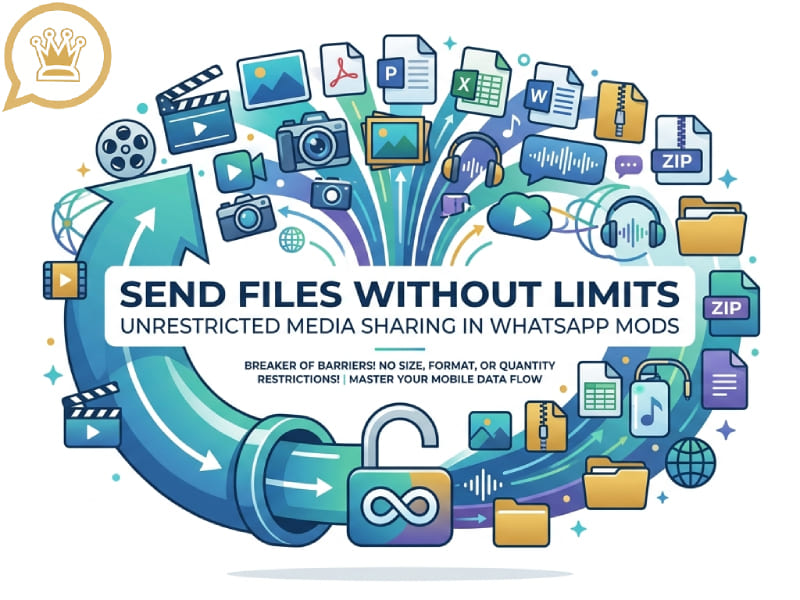
What Is Unrestricted Media Sharing in WhatsApp Mods
“Unlimited media sharing” refers to the enhanced file-sharing functionality offered by certain WhatsApp mods. These features are designed to eliminate common limitations that users may encounter when sending media files using regular instant messaging applications.
In normal use, users may face limits related to:
- The maximum size of uploaded files
- The number of photos or videos selected at one time
- Supported file formats
- Media quality after sending
- The ability to share different types of documents
The modified version of WhatsApp with extended media sharing capabilities focuses on optimizing the experience in these areas. They allow users to send more content in fewer steps and give users greater control over how they share files.
The core idea behind this feature is simple: users can share content more freely without spending extra time splitting files into smaller parts.
Larger File Sharing for More Flexible Communication
One of the most significant improvements in the WhatsApp update is the support for larger files. Many users store high-quality videos, long audio recordings, large documents, or image collections, which often exceed the space limits of the standard version. This change makes tasks like sending a video on WhatsApp more convenient, allowing users to share bigger media files without needing to reduce quality or split content into multiple parts.
With expanded file-sharing features, users can:
- Send longer videos without reducing their quality
- Share larger work files directly in chats
- Transfer more images from events or trips
- Send high-resolution media without multiple uploads
For users who frequently exchange large amounts of content, this makes conversations easier to manage. Users can perform more operations within the instant messaging application without relying on other platforms for file transfer.
Sending More Photos and Videos at Once
Another important aspect of unrestricted media sharing is the ability to send multiple files simultaneously. Whether participating in events, traveling, or working on creative projects, users often need to share a large number of pictures or videos at once.
Traditional limitations often slow down this process because users have to repeat the same steps. The enhanced sharing feature allows users to select more files in a single operation, thereby improving processing efficiency.
For example, users can share:
- A complete photo collection from a trip
- Multiple clips from a special event
- Several design files for a project
- A group of documents for review
This feature is especially useful for users who frequently communicate with groups or manage large conversations.
Maintaining Media Quality During Sharing
We discussed the problem of lost WhatsApp Chats on a new phone before. For many users, the quality of images and videos is of paramount importance. If media files are over-compressed, details may become blurred, especially for high-resolution photos or professional-grade videos.
Some modified versions of WhatsApp are committed to maintaining higher media quality during transmission. This not only allows users to share clearer images and videos, but also ensures that their appearance is as close as possible to the original file. With features like improved WhatsApp video message support, users can enjoy a smoother way to send visual content while keeping better clarity and detail throughout the sharing process.
High-quality sharing is useful for:
- Photography enthusiasts
- Content creators
- Designers
- Users who want to keep personal memories in better condition
Instead of preparing separate files before sending, users can share media in a more direct way.
More File Format Support
File format support is another area where communication can be simplified by improving sharing capabilities. The content sent by users is not limited to pictures and videos, but may also include documents, compressed files, audio files or other types of content.
The expanded media sharing functionality supports more file types, allowing users to send various types of information through the same platform.
This is of great benefit to users who use instant messaging applications to handle both personal and work matters. The more formats supported, the fewer steps are required from creating a file to sharing it with others.
Faster File Management in Chats
Unrestricted media sharing goes beyond just sending files; it also changes how users manage conversations.
When users can send large amounts of content at once, they can organize their communication more efficiently. Instead of sending multiple separate messages, they can group related files together and send them together.
Benefits include:
- Cleaner chat history
- Easier file organization
- Faster communication with groups
- Less repeated uploading
For users who frequently exchange media content, better file management features can enhance the overall messaging experience.
Why Users Prefer Enhanced Media Features
Different users want more flexible sharing options for different reasons. Some people need better personal communication tools, while others use instant messaging applications for creative or professional work. With improved WhatsApp storage management, users can organize files, save important media, and handle shared content more efficiently based on their individual needs.
Common reasons include:
1. Sharing Memories More Easily
People often take hundreds of photos and videos during holidays, celebrations, and everyday life. Sending these files would be much easier if there were fewer restrictions.
2. Improving Work Communication
Many teams use instant messaging applications to exchange documents, pictures, and project materials. More flexible sharing methods help reduce unnecessary steps.
3. Saving Time
Repeatedly selecting and sending files can be time-consuming. The expanded sharing options help users complete these operations more quickly.
4. Having More Control
Users often want more options when managing their own content. Features such as support for larger file uploads and a wider range of file formats enable a more flexible user experience.
How Unrestricted Media Sharing Changes Daily Messaging
Instant messaging is no longer limited to simple text communication. Today, users share all kinds of digital content every day, including videos, documents, audio files, and pictures.
In response to this change, file sharing has become an important part of instant messaging applications. Mods to WhatsApp that emphasize unlimited media sharing aim to provide a smoother experience for users who need greater freedom in content exchange.
Users are no longer limited by file transfer restrictions and can focus more on the content they want to share.
Comparing Standard Sharing and Enhanced Sharing Features
The difference between standard and enhanced media sharing can be seen in several areas:
| Feature | Standard Sharing | Enhanced Sharing in WhatsApp Mods |
| File size | Usually limited | Supports larger files |
| Media quantity | Limited selection | More files at once |
| Quality options | Basic control | More sharing flexibility |
| File formats | Common formats | Wider support |
| File management | Simple transfer | More convenient organization |
The main difference lies in flexibility. Enhanced sharing features provide users with more options when dealing with different types of content.
Tips for Better Media Sharing Experience
To get a smoother sharing experience, users can follow a few simple habits:
1. Organize Files Before Sending
Sorting photos, videos, and documents before sharing helps keep conversations easier to follow.
2. Use Clear File Names
For documents and work files, clear names make it easier for others to understand the content.
3. Group Related Content Together
Sending related files in one message can make future searches simpler.
4. Check Media Settings
Different sharing options may affect file quality and speed. Choosing suitable settings can improve the overall experience.
Future of Media Sharing in Messaging Apps
As people continue to create and share more digital content, instant messaging apps may focus more on optimizing file management features and providing flexible sharing tools.
Today, users’ expectations for instant messaging platforms go beyond simply sending and receiving text messages. They want to be able to easily share snippets of their lives, collaborate with others, and manage various documents.
“Unrestricted media sharing” embodies this trend, emphasizing convenience, efficiency, and greater user control over digital content.
Conclusion
The unlimited media sharing feature in WhatsApp Mods is designed to optimize how users send and manage files within conversations. With support for larger file uploads, more media options, a wider range of file formats, and better quality control, users can enjoy more flexible communication methods. Combined with tools like a file manager WhatsApp users can organize, access, and handle shared content more efficiently, making media management smoother during daily chats.
For users who frequently share photos, videos, documents, or other files, these enhanced sharing features make daily communication more convenient. As digital communications continue to develop, flexible media tools will continue to be an important part of the communication experience.